
Track. Optimize. Control.
Inventory Management Admin Dashboard for Complete Stock Visibility
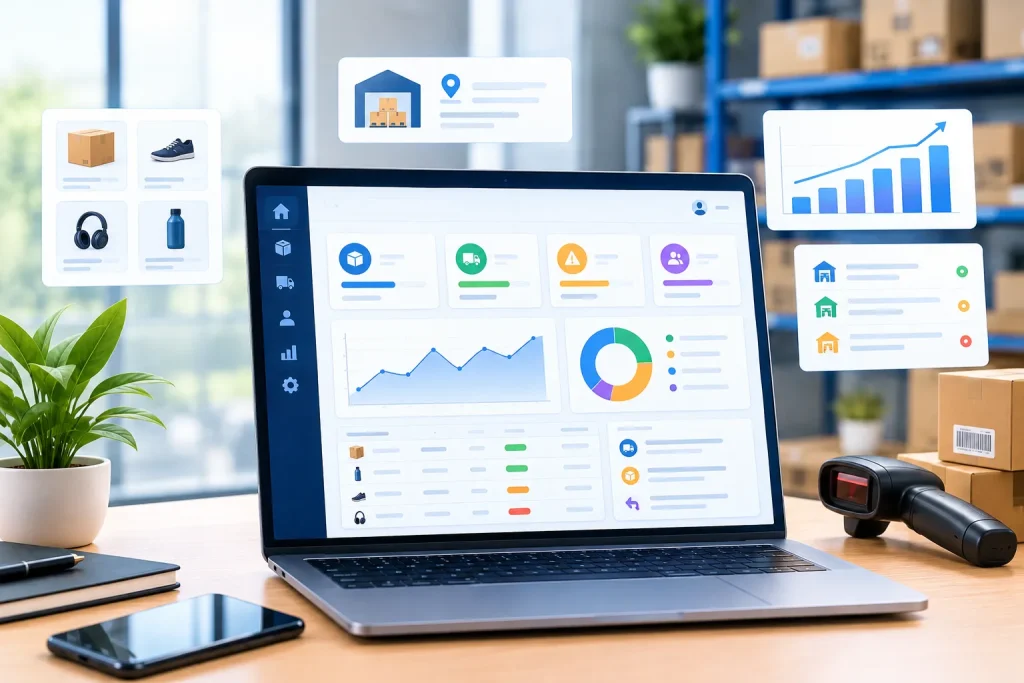
Inventory Management Admin Dashboard development helps businesses monitor stock levels, manage warehouse operations, organize supplier records, and track inventory movements from one centralized interface. We build custom admin dashboards that simplify stock control, improve operational visibility, and support better purchasing decisions.
Managing inventory becomes increasingly complicated when product quantities are tracked across spreadsheets, warehouse records, sales channels, and disconnected business applications. Even small differences between recorded and actual stock can create fulfilment delays, unnecessary purchases, or missed sales opportunities. An Inventory Management Admin Dashboard gives your team a centralized workspace to monitor stock availability, review incoming supplies, track outgoing products, and understand inventory performance through organized data.
At Amunis Technologies, we develop customized inventory administration dashboards based on your business operations and technical requirements. The system can include product catalogues, SKU management, stock movement records, supplier information, purchase orders, warehouse transfers, low-stock notifications, and inventory reports. We plan the interface around the tasks your employees perform regularly, helping them access relevant information without navigating through unnecessary screens.
Inventory Management Admin Dashboard Development for Smarter Stock Control
Organize product names, categories, SKUs, variants, units, and storage details in one interface. Structured product records help employees identify items accurately and maintain consistent inventory information.
Centralized Product and SKU Management
Review available quantities, reserved stock, incoming supplies, and outgoing items through organized inventory views. Configurable thresholds help teams identify potential shortages before they disrupt routine operations.
Stock Level Monitoring and Availability
Monitor stock across warehouses, branches, storage zones, or retail locations from a centralized dashboard. Controlled transfer workflows help maintain visibility when products move between approved storage locations.
Multi-Warehouse Inventory Tracking
Maintain supplier details, prepare purchase orders, and monitor expected deliveries against recorded requirements. Organized procurement records help teams coordinate replenishment and investigate delayed or incomplete supplier deliveries.
Supplier and Purchase Order Management
Record stock receipts, dispatches, transfers, returns, and authorized quantity adjustments. A traceable movement history helps teams investigate discrepancies, review operational changes, and maintain more reliable inventory records.
Inventory Movement and Adjustment History
Review stock valuation, fast-moving products, ageing inventory, turnover, and selected operational indicators. Filterable reports help managers recognize purchasing patterns and make more informed inventory planning decisions.
Inventory Reports and Performance Analytics
Six Essential Features of an Inventory Management Admin Dashboard
Inventory Management Admin Dashboard Development Built Around Your Operations
Inventory requirements vary significantly between businesses. A fashion retailer may need size and colour variations, barcode scanning, and returns management. A distributor may require batch tracking, purchase approvals, warehouse transfers, and supplier delivery records. A manufacturer may need raw material availability, component consumption, production-related stock movements, and finished goods tracking. A custom dashboard allows these workflows to be planned around your actual inventory model rather than relying on a rigid, generic interface.
At Amunis Technologies, we begin by understanding how your products enter, move through, and leave your business. We identify the required modules, user roles, stock calculation rules, reporting needs, and connections with existing applications. Based on the agreed scope, development can include custom dashboard screens, database integration, API connectivity, automated alerts, stock adjustment workflows, and reporting tools. We also consider data migration when existing inventory records need to be transferred into the new system.
Advanced Inventory Dashboard Capabilities for Growing Businesses
Configure minimum stock thresholds and replenishment reminders for selected products. Reorder rules based on demand, supplier lead times, and business priorities help teams plan purchases more consistently.
Low-Stock Alerts and Reorder Planning
Support compatible barcode scanners or QR-based workflows for identifying products, receiving stock, picking orders, and recording transfers. Scanning can reduce repetitive manual entry when product identifiers and operational processes are configured correctly.
Barcode and QR Code Integration
Use historical sales, stock movements, and seasonal patterns to estimate future requirements where suitable data is available. Forecasting tools can support purchasing decisions but should account for changing demand and data limitations.
Inventory Forecasting and Demand Analysis
Connect inventory records with compatible online stores, ERP applications, accounting tools, or order management systems. Appropriate synchronization rules help coordinate product availability and reduce inconsistencies between connected platforms.
E-commerce and ERP System Integration
Generate reports for inventory value, stock adjustments, damaged goods, and ageing products using agreed accounting and operational rules. These records help authorized teams investigate discrepancies and support internal review processes.
Stock Valuation and Inventory Auditing
Assign permissions to warehouse staff, purchasing teams, supervisors, and administrators according to their responsibilities. Automate suitable alerts and approval steps while retaining clear records for important inventory changes.
Role-Based Access and Operational Automation
Frequently Asked Questions?
An Inventory Management Admin Dashboard is a centralized interface for managing product records, stock quantities, warehouse locations, suppliers, purchase orders, and inventory reports. Its functionality depends on the business requirements and the systems connected to it.
A custom dashboard is useful when standard inventory tools cannot fully support your workflows, reporting requirements, stock rules, or integrations. It allows the interface and functionality to match your operations instead of forcing employees to adapt to unnecessary processes.
Common features include product and SKU management, stock monitoring, warehouse tracking, supplier records, purchase orders, inventory movements, reporting, and low-stock alerts. Barcode scanning, forecasting, batch tracking, and integrations can also be added where required.
Let's Connect
Ready to Start Your Project?
Let’s discuss how we can help bring your vision to life with our expertise.